support@registrationkraft.com


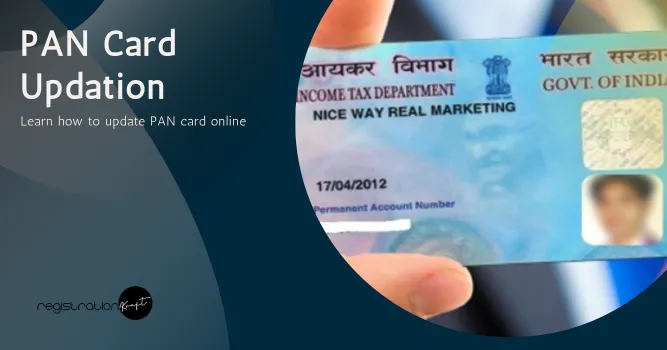

PAN stands for Permanent Account Number. It is a 10-digit unique alphanumeric identifier contained in the PAN card. This card is issued by the Income Tax Department to individuals and businesses. It is essential for ITR filing, bank account opening, GST registration, etc. It serves as a proof of identity.
If you want to learn how to update PAN card online, check out this blog post! Here, we shall explain all the necessary steps you need to fulfill to update PAN easily!
What is PAN Card Update?
PAN Card update refers to changes or modifications in details mentioned on your PAN card. These details can include your name, date of birth, address, photograph, signature, mobile number or email ID.
If you applied for your PAN card and found any incorrect information upon receiving it, you can start the process to update your PAN card. The process is quite easy. It can be completed online or offline, as per your convenience.
Pre-requisites for Updating PAN Online
Here are a few pre-requisite conditions for updating PAN online :-
- Keep your PAN no. and other details handy.
- Make sure your internet connection is stable.
- You must have access to the portal for PAN updation.
- The documents you’ll be required to upload/attach during the PAN update process must be clear and legible.
- Make sure your registered mobile number is active. As once the updated PAN gets dispatched, you will receive an intimation on this number.
Once you’ve made sure you fulfill the above requirements, you can initiate the PAN updation process!
PAN Update Online Process
You can opt for PAN update online via official UTIITSL. Just follow the simple steps mentioned below :-
Step 1 :- As the first step, you need to visit the official UTIITSL website.
Step 2 :- Once you are on the homepage, you need to go to the PAN Card Services section, and then you need to click on the “Apply PAN Card” option.
Step 3 :- Now, a new page will appear on your screen. Under the “Change/Correction in PAN Card”, click on “Click to Apply.”
Step 4 :- On the next page, select “Apply for Change/Correction in PAN Details.”
Step 5 :- For this step, you must choose your mode of document submission, enter your PAN, select the PAN card’s type. Once done, click the “Submit” button to proceed further.
Step 6 :- Now, you have to re-enter your PAN and click on the “Ok” option
Step 7 :- Once your request gets registered, you will receive a reference number.
Click “Ok” to proceed further.
Step 8 :- Now, in this step, you need to enter your name, address and all other required details. After that, click on the “Next Step” button.
Step 9 :- Next, you have to enter your PAN for verification. Thereafter, click the “Next Step” button.
Step 10 :- You need to upload the necessary documents like. Finally, click on the “Submit” button to complete the PAN update request process.
Typically, it takes about 15 days for your PAN correction or updation. When the updated PAN card is dispatched via post, you will receive a text message regarding it on your registered mobile number.
Conclusion
Updating the Permanent Account Number (PAN) card becomes quite necessary in case of any change or error in personal details such as name, date of birth, address, photograph or signature. If you want to update PAN online, you can visit the UTIITSL website and follow the steps explained in this blog post. Alternatively, you can also update your PAN through the Protean NSDL PAN portal. However, if you prefer PAN update offline, then you need to download the PAN card correction form PDF online and then fill in all the mandatory fields carefully in the form. After you have done that, you must attach all the required supporting documents such as proof of identity, proof of address and passport-size photographs. Once completed, you must submit the PAN card update form at the nearest NSDL collection centre or PAN centre.
Frequently Asked Questions (FAQs)
Q1. Can I update PAN card details online?
Yes, you can update PAN card’s details online. For this, visit the UTIITSL website or Protean NSDL PAN website.
Q2. Where do I need to visit to update PAN details offline?
To update PAN details offline, you need to visit the nearest NSDL collection centre or PAN centre. At the centre, you need to submit the duly filled PAN correction form along with all the required documents.
Q3. Can I update photo in PAN card?
Yes, you can update photo in PAN ID card. You can do it online as well as offline, depending on your preference.
Q4. Can I update name in PAN card?
Yes, you can update your name in permanent account number (PAN) card due to reasons like marriage, divorce, spelling mistakes or other reasons.