support@registrationkraft.com


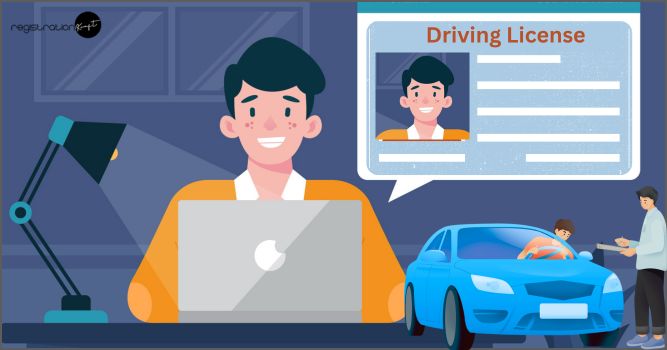

A driving licence proves that a driver is skilled, aware of traffic rules, and physically fit to drive safely. It reduces the chances of road accidents and protects everyone on the road. Around the world, licences help maintain a standard level of driving competency, prevent untrained drivers from risking public safety, and allow authorities to legally enforce traffic rules.
According to Indian Express, Government data reveals that over 29,000 fatalities occurred on national highways during the first half of 2025, amounting to more than 50% of the total deaths recorded last year.
Getting your driving license isn’t just a paperwork hassle—it’s your ticket to legal freedom, road safety, and avoiding those wallet-draining penalties that hit harder in 2025.
That’s why in this article, we will cover the eligibility rules, age limits, driving licence categories, and the complete process to apply for a driving licence in India. No agents, no queues, just you legally hitting the roads soon!
Eligibility Criteria for a Driving Licence in India
To apply for a driving licence in India, an individual must:
- Be an Indian citizen or legal resident
- Have basic literacy in the local language
- First obtain a Learner’s Licence and pass its test before applying for the permanent licence
Applicants also need to submit:
- Age proof
- Address proof
- A medical fitness certificate, especially for people above 40 years of age (Form 1A)
Minimum Age Limits for Driving in India
The allowed age for applying depends on vehicle type:
| Age | Vehicle Type |
| 16 years (with guardian consent) | Two-wheelers without gears, up to 50cc |
| 18 years | Geared two-wheelers, cars (LMV), and most commercial light vehicles |
| 20 years & above | Heavy commercial vehicles (with a medical certificate) |
There is no maximum age limit, but after 40 years the licence is issued for shorter renewal periods—
10 years first, then every 5 years thereafter
Driving Licence Categories in India
Under the Motor Vehicles Act, different licence categories allow driving different types of vehicles:
| Category | Vehicle Type |
| MC 50cc | Motorcycles/scooters up to 50cc |
| LMV-NT | Light motor vehicles (private cars/jeeps) |
| LMV-TR | Light motor commercial vehicles (taxis, transport) |
| MGV | Medium goods vehicles |
| HMV/HGV | Heavy trucks, buses, and heavy motor vehicles |
| FVG | Vehicles operated by foot such as certain scooters |
Driving a vehicle type not covered by your licence may lead to heavy penalties or licence suspension.
Penalties for Driving Without a Licence (India – 2025)
Government enforcement has become stricter due to rising road safety concerns:
| Violation | Penalty |
| Driving without a valid licence | ₹10,000 fine |
| Using a fake licence | Up to ₹20,000 fine + jail + vehicle seizure |
| Driving with an expired licence | ₹6,000 fine |
| Not carrying licence while driving | ₹2,000 fine |
E-challans and AI cameras now make enforcement faster and automated, encouraging safer driving habits.
Types of Driving License in India
A driving license is created in two stages:
Learner License (LL)
- Valid for 6 months
- Allows you to drive legally on the road for learning purposes
- Helps you avoid challans while practicing
- You can apply for the final license anytime within these 6 months
Final / Permanent Driving License (DL)
- Issued after passing the driving test at the RTO
- Valid for 10–15 years
- Needs to be renewed after expiry
Government Portal for Driving License
To apply online, you must use the official government website:
✔ Sarathi Parivahan – Ministry of Road Transport and Highways
⚠ There are many fake websites on Google, so make sure you open the official portal only.
Step-by-Step Process to Apply for Driving License in India
Follow the instructions below on your computer or mobile:
Step 1: Visit the Website
- Open your browser and search “Sarathi Parivahan”
- Click on the first link of Ministry of Road Transport
- Go to Online Services → Driving License Related Services
Step 2: Select Your State
Choose the state where you live.
(Example: Bihar, UP, Assam, Punjab, etc.)
Step 3: Start the Application
- Click Apply for Learner License
- Select General Category
- Choose the option: Applicant does not hold any driving license
Step 4: Aadhaar or Without Aadhaar
You will get two options:
- Submit via Aadhaar Authentication
- Submit without Aadhaar Authentication
If you choose Aadhaar authentication, your Aadhaar details will automatically get printed on your license, without any option to edit.
So most people prefer Submit without Aadhaar Authentication.
Step 5: Enter Mobile Number
- Enter your mobile number
- Enter Captcha
- Submit OTP
Step 6: Fill Application Form
Enter all required details:
- Applicant Name
- Father’s / Mother’s Name
- Gender
- Date of Birth
- Place of Birth
- Qualification
- Identification Marks (e.g., scar, mole — any permanent mark)
- Email ID
- Present Address & Permanent Address
- Number of years living at current address
Step 7: Select Vehicle Types
Choose the type of license you want, e.g.,
- Motorcycle with Gear (Two-wheeler)
- LMV – Light Motor Vehicle (Car)
Add both if you want license for both two-wheeler and four-wheeler.
Step 8: Fill Self-Declaration (Medical Fitness)
Answer health-related questions (Yes / No)
Example:
- Do you have epilepsy? → No
- Can you identify traffic light colors? → Yes
Submit the form.
Step 9: Upload Documents
You need to upload two sets of documents:
| Document Type | Accepted Options |
| Age Proof | 10th Marksheet, Birth Certificate, PAN Card |
| Address Proof | Aadhaar Card, Electricity Bill, Ration Card, etc. |
Upload scanned copies in PDF or JPEG format (Max 500KB).
Step 10: Upload Photo & Signature
Upload:
- Passport-size photo
- Your digital signature
Step 11: Fee Payment
Total charge for LL varies by state, but generally around ₹700 – ₹800.
Pay online using:
- Debit Card
- Net Banking
- Credit Card
Step 12: Book Slot for Test
After payment:
- Select your preferred date
- Choose the available time slot shown in green
- Download or print the slot booking slip
What to Do on the Test Date?
Go to the RTO office with:
- Aadhaar Card
- PAN Card
- 10th / 12th Marksheet (or whichever you uploaded)
- Slot booking slip
At RTO:
- Documents will be verified
- A computer-based learning test will be conducted
After clearing the test, your Learner License will be issued online, and you can:
- Download or print it
- Start driving legally for 6 months
Applying for Final Driving License
After 30 days of LL (and before 6 months), apply for the final license.
Final steps include:
- Visit RTO with original documents
- Give a practical driving test
- Upon passing, you will receive a smart card driving license
Once done, you will receive your permanent driving license, valid for 10–15 years.
Final Words
Whether you are a new learner or planning to upgrade your licence, always follow legal procedures and traffic guidelines to enjoy a safe and hassle-free driving experience. Drive smart, drive safe!