support@registrationkraft.com


The Government of India has introduced Udyam Registration for Micro, Small, and Medium Enterprises (MSMEs). This registration is completely online and free of cost. Whether you are planning to start a new business or already running an MSME, getting this certificate is highly beneficial.
Why is Udyam Registration Certificate Important?
By registering your business under Udyam, you get several advantages:
- Eligibility to apply for government schemes such as PM Mudra Yojana, PMEGP Scheme, and Stand-Up India Scheme.
- Easier access to loans at lower interest rates without collateral.
- Subsidies and tax benefits under various government initiatives.
- Certain tax exemptions even if you don’t have a GST number.
Step-by-Step Process of Udyam Registration
1. Visit the Official Portal
Go to the official website: udyamregistration.gov.in. , Click on “For New Entrepreneurs” option.
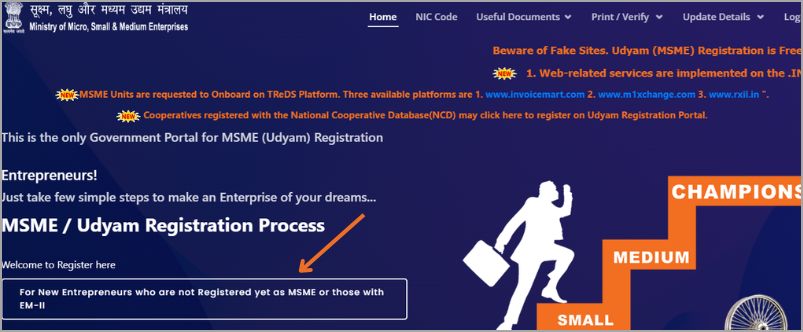
2. Aadhar Verification with OTP
- Enter your Aadhaar Number and Name (exactly as per Aadhaar).
- Validate using OTP sent to your registered mobile number.
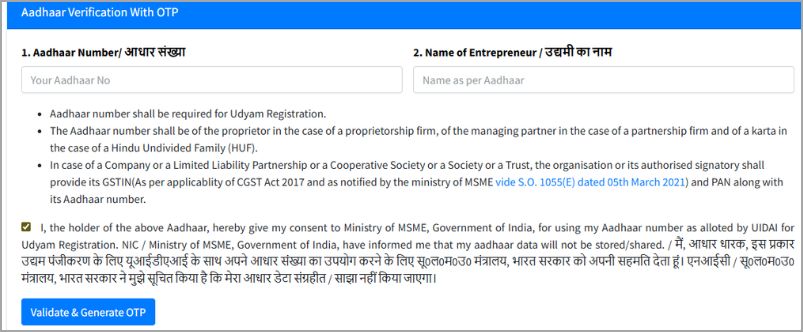
3. PAN Verification
- Choose your organization type:
- Enter your PAN details and validate them.
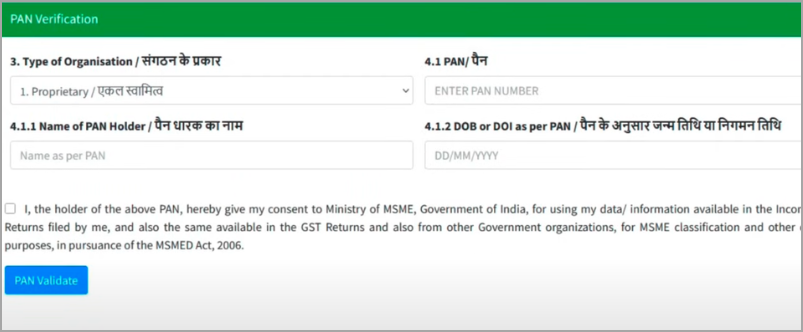
4. GST and Tax Details
- Select whether you have a GST number or not.
- If your products are exempted from GST (like certain food items), you can choose the “Exempted” option.

5. Fill in Personal & Business Information
Provide your mobile number, email ID, category (General/SC/ST/OBC), gender, and disability status (if applicable).
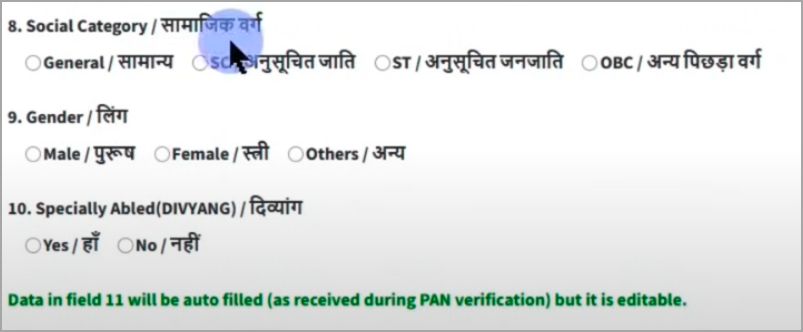
Enter your business name and unit name.
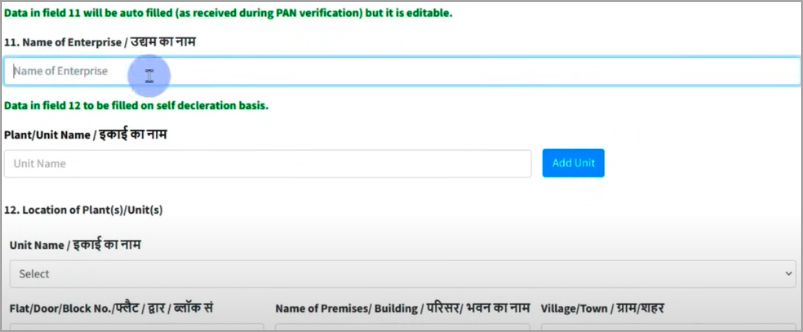
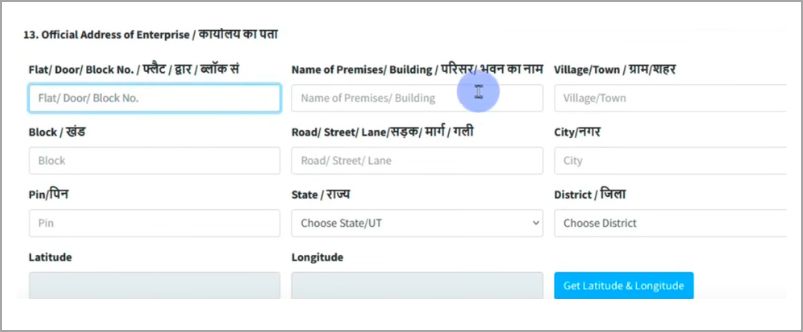
Fill in the complete business address (village/city, PIN code, district, state). Select latitude and longitude using the integrated map option.
6. Business Establishment Details
- If you already had EM-II or UAM registration, enter the details.
- Otherwise, simply choose “NA”.
- Mention the date your business started and date of production (if applicable).
- Provide your bank details (bank name, IFSC code, account number).
7. Nature of Business
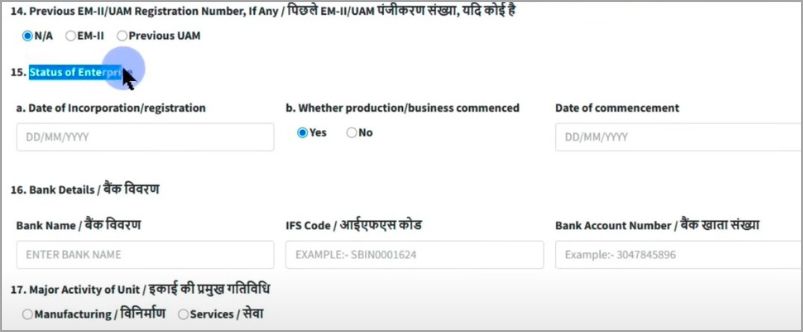
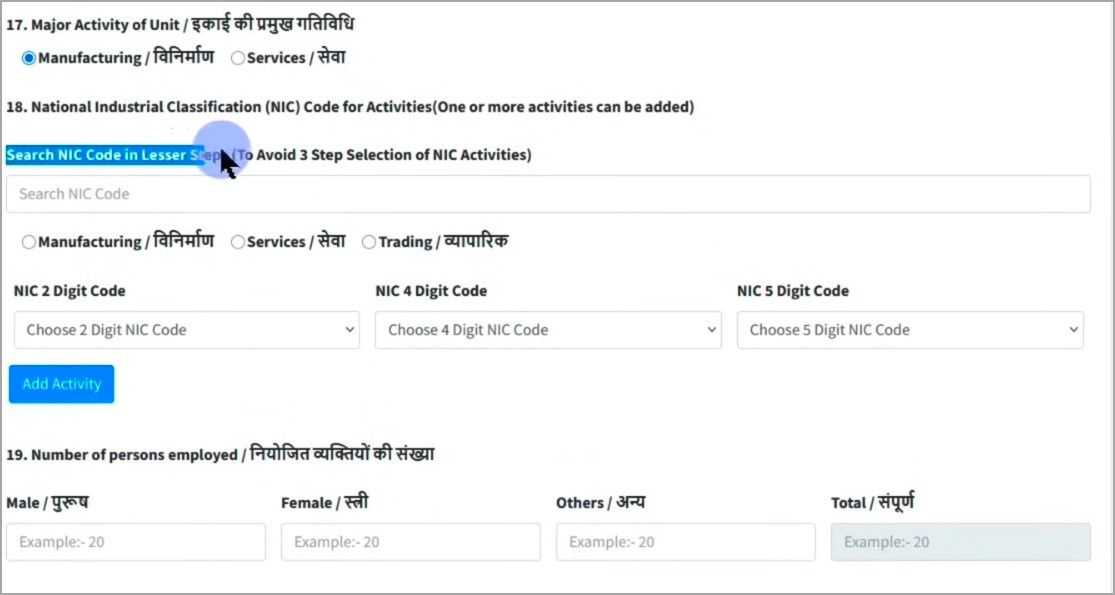
- Choose whether your business is in Manufacturing or Services.
- Enter the NIC Code (National Industrial Classification) for your industry.
- Add the number of employees (male, female, others) working in your business.
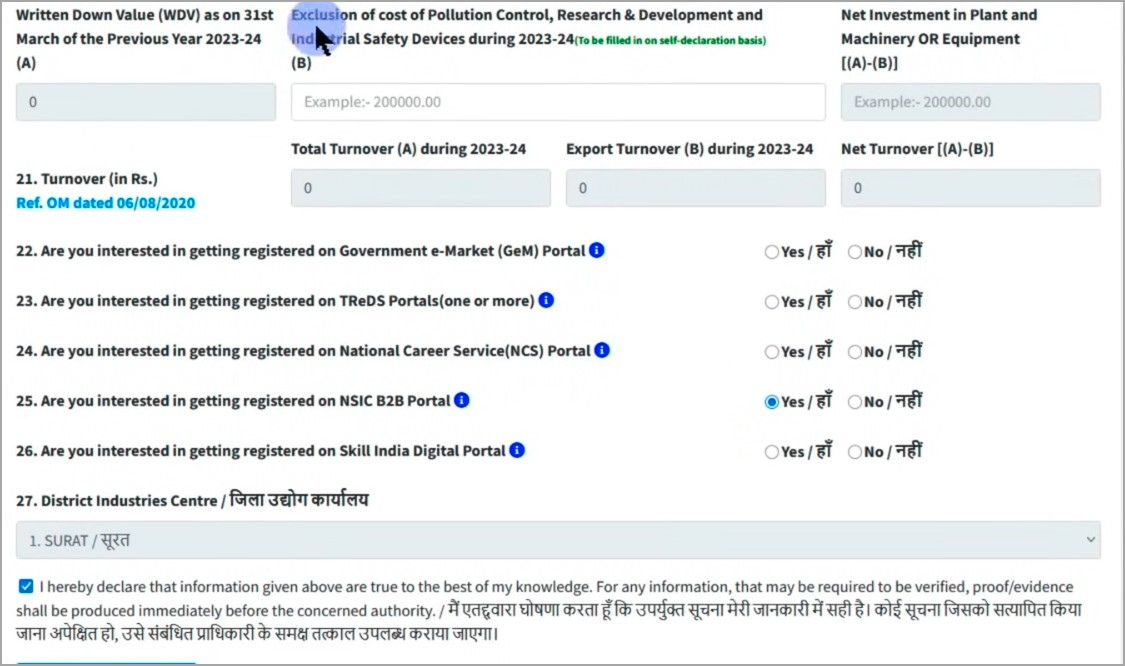
9. Investment & Turnover Details
- Provide details of investment in plant, machinery, or equipment.
- Enter your annual turnover (for new businesses, you can enter “0”).
- You can also choose to register on:
- Government e-Marketplace (GeM)
- National Career Service (NCS)
- Skill India Digital Portal
- Government e-Marketplace (GeM)
11. Final Submission
- Review all details carefully.
- Click on “Submit and Generate OTP”.
- Enter OTP and captcha to complete submission.

12. Download Certificate
- Once successful, you will receive a Udyam Registration Number on your registered mobile.
- Use it to log in to the portal, download, and print your Udyam Registration Certificate.

Conclusion
The Udyam Registration process is simple, free, and fully online. With this certificate, MSME businesses can easily access government schemes, subsidies, loans, and tax benefits. If you are an entrepreneur or planning to start an MSME, don’t miss the opportunity—apply for Udyam Registration today and enjoy the benefits offered by the government.