support@registrationkraft.com


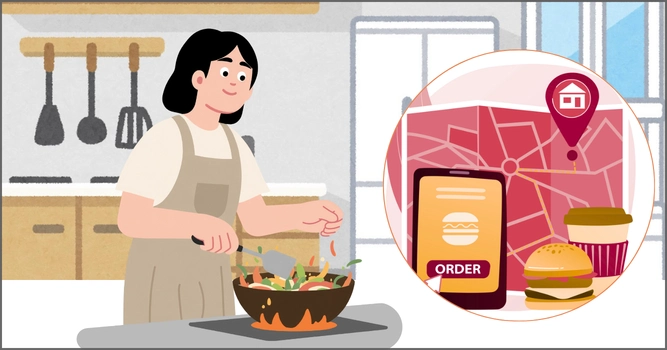

Zomato is undoubtedly one of the leading food delivery platforms in India. It provides food delivery and table reservation options in more than 800 Indian cities. For cloud kitchens looking to increase their revenue, registering on Zomato is one of the most effective strategies.
Zomato registration can help more and more customers learn about your food business and order from it easily. You won’t have to worry about food delivery, as Zomato’s delivery partners will take care of it.
If you want to register your virtual kitchen on Zomato, going through this blog post will be helpful. Here, we shall explain all the necessary steps you need to follow to complete the Zomato cloud kitchen registration online process.
Who Can Register Their Cloud Kitchens on Zomato?
The following entities can register their cloud/virtual kitchens on Zomato :-
- Sole proprietorships.
- Private limited companies.
- Partnership firms.
- Limited liability partnerships.
If you have not registered your business yet, professional business registration services can assist you in choosing and setting up the most suitable entity structure.
Documents Required for Zomato Registration
To register your virtual kitchen on the Zomato app, you require the following documents :-
- PAN card of the business entity.
- Goods and Services Tax (GST) registration certificate.
- Details of the Bank Account.
- FSSAI License of the home kitchen business.
How to Register Cloud Kitchen on Zomato?
For cloud kitchen registration in Zomato, you need complete the following steps :-
Step 1 :- As the first step, you need to visit Zomato’s official “Partner With Us” page.
Step 2 :- After visiting the page, you need to search for and click on the “Register Your Restaurant” button.
Step 3 :- Now, you need to enter your phone number to receive an OTP. Make sure you enter a valid phone number that is active.
Step 4 :- Enter the OTP exactly as you received it to log into your Zomato account. After successful login, you need to click on the “Register Your Restaurant” once again.
Step 5 :- Now, select the service you want to register for from these options :- (i) both food delivery and dining, (ii) food delivery only, or (iii) food dining only.
Step 6 :- Then, for this step, you need to fill out the registration form with the necessary details like restaurant information, menu details and operational details.
Step 7 :- After entering the necessary details, it’s time for you to upload the necessary documents like FSSAI license and PAN. Make sure the documents are legible.
Step 8 :- Cross check all the details and documents you provided to ensure they’re accurate. Then, you can finally submit your Zomato registration form.
Step 9 :- Once the Zomato team receives your form, they will carefully go through it to check whether it aligns with all the requirements. If the form meets all the requirements, the team will send someone to your cloud-kitchen to verify all the details. Upon verification, they will provide you the partnership agreement for review.
Step 10 :- After completion of all the above-mentioned steps, your Zomato business account will be live and your virtual kitchen will be registered successfully.
Conclusion
Cloud kitchens are ideal for individuals who are passionate about the food industry but have a limited budget and cannot operate a full-fledged restaurant. If you operate an existing virtual kitchen in India, you can register it on the Zomato platform. This way, your business will be visible to a large number of people in your area. If they want to order food from your virtual kitchen, they will be able to do so easily through the platform. In this way, you can increase your business profits.
Need assistance in obtaining the FSSAI license for your food business? Connect with our FSSAI consultants at Registrationkraft as soon as possible.
Frequently Asked Questions (FAQs)
Q1. Do I need an FSSAI license for cloud kitchen registration on Zomato?
Yes, all the food businesses in India require a FSSAI license. Since a cloud kitchen is a type of food business, obtaining a FSSAI license for it is a mandatory requirement. It is essential to ensure compliance with FSSAI regulations as well as terms and conditions set forth by Zomato.
Q2. Is GST registration compulsory for registering a cloud kitchen on Zomato?
Yes, GST registration is compulsory for registering a cloud/virtual kitchen on the Zomato platform.
Q3. Can a sole proprietor apply for Zomato cloud kitchen registration?
Yes, a sole proprietor can apply for Zomato cloud/virtual kitchen registration.
Q4. Does Zomato support cloud kitchens?
Yes, Zomato fully supports them. The Zomato platform serves as one of the major platforms for cloud/virtual kitchens in India.
Q5. Can I register my food business on Zomato if I do not have a FSSAI license?
No, you cannot register your food business on Zomato if you do not have a valid FSSAI license.
Also Read: What is Trade License and Its Types